
↺
Saved snapshots
ListingGuard saves monitored listing information so current data can be compared with earlier snapshots.
ListingGuard compares saved Etsy listing snapshots so you can review what changed without manually opening every product in your shop.
When you manage dozens or hundreds of listings, manually checking every title, tag, price, image, variation, or other listing detail becomes impractical.
ListingGuard saves snapshots of monitored listing data and compares them over time so changes are easier to surface and review.
ListingGuard saves monitored listing information so current data can be compared with earlier snapshots.
Surface changes between snapshots instead of manually comparing listings yourself.
Review detected listing changes in one place and mark items reviewed as you work through them.
Bring higher-priority listing changes to your attention so they are easier to review first.
Keep important listings easier to monitor when you want closer visibility into their activity.
Narrow your view to listings with changes, watched listings, gaining-interest listings, and other useful groups.
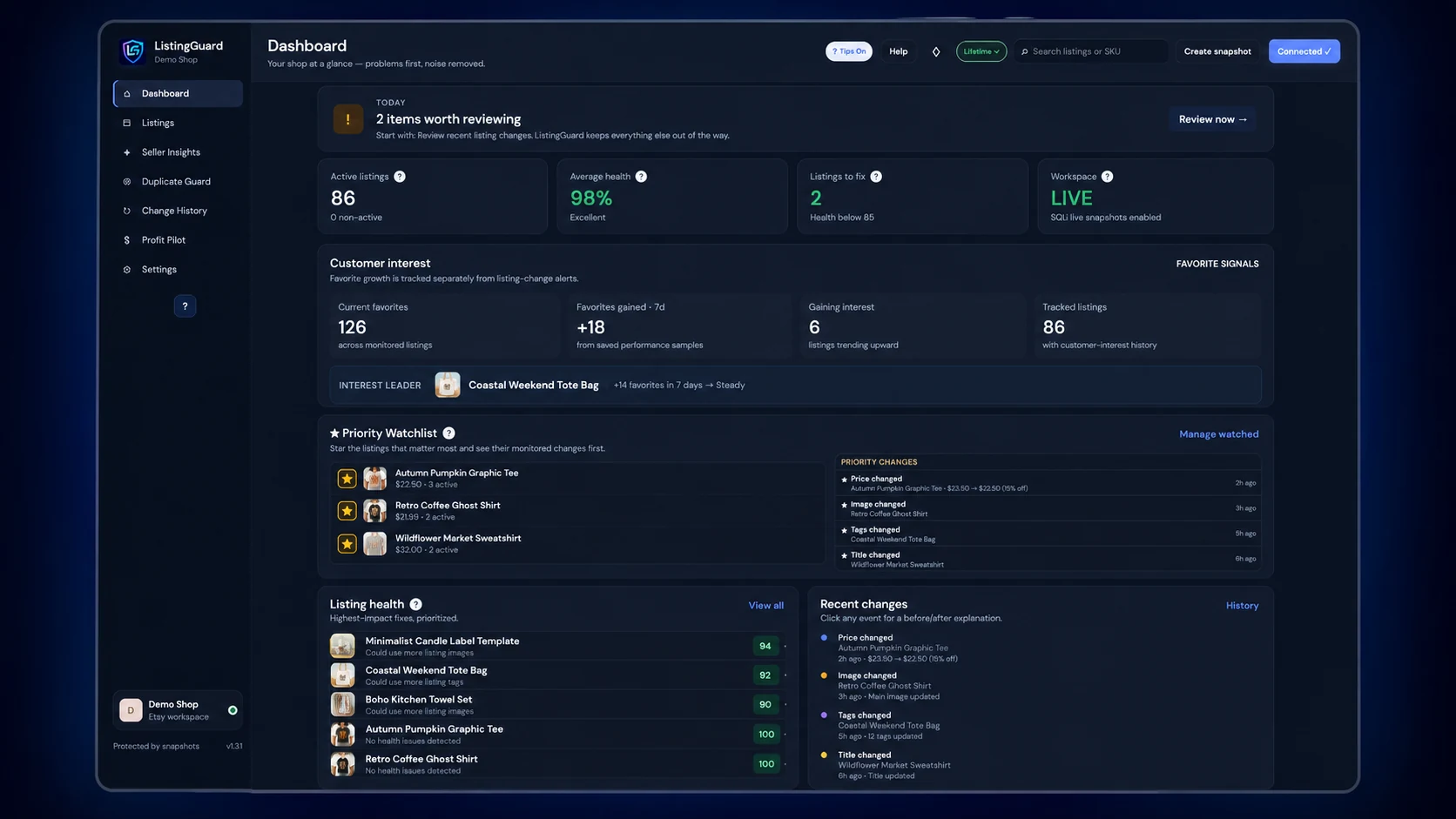
ListingGuard helps shift Etsy shop monitoring from repeated manual checks to a review workflow centered around detected changes.
ListingGuard connects to Etsy in read-only mode. It can monitor listing information and compare saved data, but it cannot automatically edit your titles, descriptions, prices, tags, images, inventory, variations, or sale settings.
ListingGuard compares saved listing data over time and can surface monitored differences for review.
Yes. Detected listing changes can be reviewed through ListingGuard’s Change History workflow.
Yes. ListingGuard supports reviewed change status so you can work through detected changes without repeatedly reviewing the same items.
Yes. Important listings can be added to the Priority Watchlist for easier monitoring.
No. ListingGuard is read-only and does not automatically edit or restore Etsy listing data.
Yes. ListingGuard is designed for growing catalogs where manually checking every listing becomes impractical.
Try ListingGuard free for 7 days or 3 manual live Etsy syncs, whichever comes first. No credit card and no automatic charge.
The term Etsy is a trademark of Etsy, Inc. ListingGuard uses the Etsy API but is not endorsed or certified by Etsy, Inc.